Best Home Security Systems for DIY and Professional Monitoring
Affiliate Disclosure: HomeGear Guide is reader-supported. When you buy through links on our site, we may earn an affiliate commission at no extra cost to you. We do not accept paid product placements or sponsor-biased reviews.
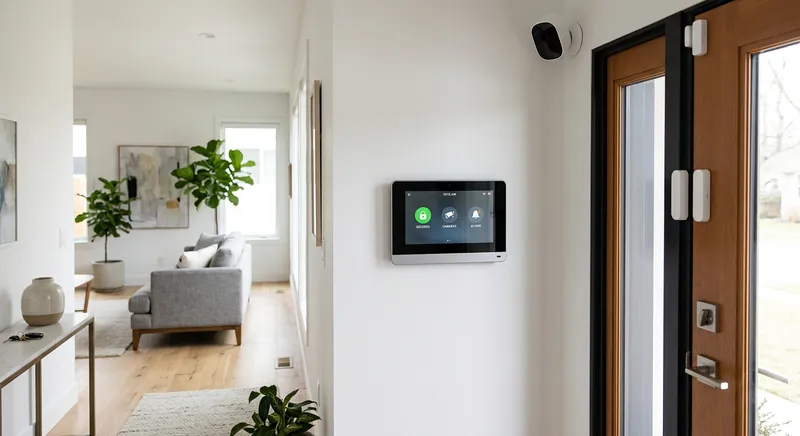
A home security system brings together door and window sensors, motion detectors, and a central hub that ties them together — and optionally connects to a professional monitoring service that can dispatch emergency responders. Unlike a single camera or doorbell, a security system provides whole-home protection and the peace of mind that someone is watching even when you cannot. The market has changed significantly in recent years. DIY systems that you install yourself and monitor through an app have made security accessible without contracts or installation fees, while traditional professionally monitored systems still offer the fastest emergency response. Understanding the trade-offs between DIY and professional monitoring, contract requirements, and sensor coverage helps you choose a system that fits both your home and your budget.
Quick Answer
For most homeowners, a DIY security system with a cellular backup, door and window sensors, a motion detector, and optional professional monitoring at 15 to 30 dollars per month is the best choice because it provides whole-home protection without installation fees or long-term contracts. DIY systems from brands like SimpliSafe, Ring, and Abode can be installed in under an hour and expanded with additional sensors as needed. Cellular backup is essential because it ensures the system can call for help even if your internet is cut or power is out. Professional monitoring is worth the monthly fee if you travel frequently or want emergency dispatch, but self-monitoring through app notifications is a viable free alternative. The main trade-off is cost versus response speed, as professional monitoring dispatches emergency services in under 60 seconds while self-monitoring relies on you to call 911.
Top Picks at a Glance
DIY No-Contract System
Professional Monitoring System
Self-Monitored Kit
Smart Home Integrated Security
Product Comparison
| Product | Best For | Installation | Monitoring | Contract | Connectivity | Price Range | Details |
|---|---|---|---|---|---|---|---|
DIY No-Contract System Best Overall | Flexible, self-installed security without long contracts | DIY (adhesive mount) | Self-monitor free; optional pro monitoring month-to-month | None — cancel anytime | Wi-Fi with optional cellular backup | $150–$300 (starter kit) | View Review ↓ |
Professional Monitoring System Best Pro Monitoring | 24/7 professional monitoring and emergency dispatch | Professional | 24/7 professional monitoring included | 1–3 year contract typical | Dedicated cellular (primary or backup) | $300–$600 (equipment) + $25–$50/month monitoring | View Review ↓ |
Self-Monitored Kit Best Value | Budget-conscious self-monitoring | DIY (adhesive mount) | Self-monitoring via app (no monthly fee) | None | Wi-Fi or Bluetooth hub | $80–$150 (starter kit) | View Review ↓ |
Smart Home Integrated Security Best Integration | Security that works with your smart home ecosystem | DIY or professional depending on system | Self or professional depending on plan | Varies — some month-to-month, some contract | Wi-Fi, Z-Wave, and/or Matter depending on platform | $200–$400 (starter kit) | View Review ↓ |
DIY No-Contract System
Best Overall- Best For:
- Flexible, self-installed security without long contracts
- Installation:
- DIY (adhesive mount)
- Monitoring:
- Self-monitor free; optional pro monitoring month-to-month
- Contract:
- None — cancel anytime
- Connectivity:
- Wi-Fi with optional cellular backup
- Price Range:
- $150–$300 (starter kit)
Professional Monitoring System
Best Pro Monitoring- Best For:
- 24/7 professional monitoring and emergency dispatch
- Installation:
- Professional
- Monitoring:
- 24/7 professional monitoring included
- Contract:
- 1–3 year contract typical
- Connectivity:
- Dedicated cellular (primary or backup)
- Price Range:
- $300–$600 (equipment) + $25–$50/month monitoring
Self-Monitored Kit
Best Value- Best For:
- Budget-conscious self-monitoring
- Installation:
- DIY (adhesive mount)
- Monitoring:
- Self-monitoring via app (no monthly fee)
- Contract:
- None
- Connectivity:
- Wi-Fi or Bluetooth hub
- Price Range:
- $80–$150 (starter kit)
Smart Home Integrated Security
Best Integration- Best For:
- Security that works with your smart home ecosystem
- Installation:
- DIY or professional depending on system
- Monitoring:
- Self or professional depending on plan
- Contract:
- Varies — some month-to-month, some contract
- Connectivity:
- Wi-Fi, Z-Wave, and/or Matter depending on platform
- Price Range:
- $200–$400 (starter kit)
Detailed Product Reviews & Specifications
DIY No-Contract System
A DIY security system with a central hub, door and window sensors, motion detector, and keypad. Installs with adhesive strips in under an hour. Offers optional professional monitoring on a month-to-month basis with no long-term contract, plus self-monitoring via app at no additional cost.
Pros
- •No long-term contract — monitoring is month-to-month
- •DIY installation with adhesive mounts in under an hour
- •Self-monitoring via app at no additional cost
- •Expandable with additional sensors, cameras, and detectors
Cons
- •Self-monitoring means you must respond to alerts yourself
- •Limited compared to professionally installed hardwired systems
- •Cellular backup may require an additional monthly fee
Key Specifications
Professional Monitoring System
A security system with professional installation and 24/7 monitoring by a central station that dispatches police, fire, or medical responders when alarms are triggered. Typically includes hardwired or hybrid sensors for maximum reliability and a dedicated cellular connection for communication.
Pros
- •24/7 professional monitoring with emergency dispatch
- •Professional installation ensures sensors are correctly placed
- •Dedicated cellular connection — no reliance on home internet
- •May qualify for homeowners insurance discounts
Cons
- •Typically requires a contract (1–3 years)
- •Professional installation adds upfront cost
- •Less flexible to move or reconfigure than DIY systems
Key Specifications
Self-Monitored Kit
An affordable security kit with a hub, entry sensors, and a motion detector that you monitor yourself through a smartphone app. No monthly fee for basic self-monitoring. Provides alerts when sensors are triggered but does not include professional dispatch.
Pros
- •Lowest cost — no monthly monitoring fee for basic self-monitoring
- •Simple DIY installation with adhesive mounts
- •Expandable with additional sensors
- •No contract or commitment
Cons
- •No professional dispatch — you must call emergency services yourself
- •Limited integration with smart home platforms on some models
- •Fewer sensor options than premium systems
Key Specifications
Smart Home Integrated Security
A security system designed to integrate with smart home platforms — combining security sensors with smart locks, cameras, thermostats, and lighting. Supports automations like locking doors and turning on lights when the system is armed, and can be controlled by voice assistants.
Pros
- •Integrates with smart locks, cameras, lights, and thermostats
- •Automations trigger multiple devices when armed or disarmed
- •Voice control via smart assistants
- •Single app manages security and smart home devices
Cons
- •Depends on a stable smart home platform and network
- •More complex setup than standalone security kits
- •Some features may require a subscription to the smart home platform
Key Specifications
DIY vs Professional Monitoring
The first decision when choosing a security system is whether you want to monitor it yourself or have a professional monitoring service handle it. Self-monitoring means you receive alerts on your phone when a sensor is triggered, and you are responsible for calling emergency services. There is no monthly fee, but if you miss an alert or cannot respond, no one else will.
Professional monitoring means a central station watches your system 24/7. When an alarm triggers, they verify the event and dispatch police, fire, or medical responders. This provides the fastest emergency response, but it comes with a monthly fee and often a contract.
Many DIY systems offer both options — self-monitoring for free and optional professional monitoring for a monthly fee. This is the most flexible approach: start with self-monitoring and upgrade to professional monitoring if you decide you want dispatch services. If you want guaranteed 24/7 dispatch without thinking about it, professional monitoring is the right choice.
Contracts and Long-Term Costs
Security system costs fall into two categories: upfront equipment costs and ongoing monitoring fees. DIY systems typically have higher upfront equipment costs but lower or no monthly fees. Professionally monitored systems may have lower or subsidized equipment costs but require a monitoring contract that adds up over time.
Contracts for professional monitoring typically run 1–3 years. Read the terms carefully, including early termination fees, price increases during the contract term, and what happens when the contract ends. Some companies auto-renew, while others switch to month-to-month.
When comparing costs, calculate the total cost of ownership over 2–3 years. A DIY system that costs $250 upfront with $20/month monitoring totals $730 over two years. A professional system with $100 upfront and $40/month monitoring totals $1,060 over the same period. The professional system may include more equipment or better service, but the total cost difference is significant.
Sensor Types and Coverage
A security system is built around its sensors. The most common types are door and window entry sensors, which detect when an opening is breached; motion detectors, which sense movement in a room; glass break sensors, which detect the sound of breaking glass; and environmental sensors for smoke, carbon monoxide, and water leaks.
Entry sensors are the foundation — place them on every ground-level door and accessible window. Motion detectors cover open areas and hallways, catching movement that entry sensors might miss. Glass break sensors add protection for large windows or sliding doors where an intruder might break glass rather than open the frame.
When sizing a system, count your ground-level entry points first. A starter kit with 3–5 entry sensors and one motion detector covers a small home or apartment. Larger homes may need 8–10 entry sensors and 2–3 motion detectors. Choose a system that is expandable so you can add sensors as needed.
Environmental Sensors
Many security systems support environmental sensors in addition to intrusion sensors. Smoke and carbon monoxide detectors connected to the security system can trigger alarms and dispatch the fire department through professional monitoring. Water leak sensors placed near water heaters, washing machines, and under sinks can alert you to leaks before they cause significant damage. Including environmental sensors turns a security system into a broader home protection system.
Cellular Backup and Smart Home Integration
A security system that relies solely on Wi-Fi is vulnerable to internet outages — and an intruder who cuts your internet line can disable it. Cellular backup provides a dedicated wireless connection that keeps the system communicating with the monitoring service even if your internet is down. For professional monitoring, cellular backup is essential. For self-monitored DIY systems, it is a valuable feature if you travel or want maximum reliability.
Smart home integration lets your security system work with other devices. Common automations include locking smart doors and turning on lights when the system is armed, disarming the system when a smart lock is unlocked with a recognized code, and displaying camera feeds on a smart display when the doorbell rings. If you have or plan to build a smart home, choose a security system that supports your platform.
Check whether integration requires a subscription. Some systems limit smart home features to paid monitoring plans, while others include them with self-monitoring. Also verify which protocols the system supports — Z-Wave, Wi-Fi, Matter, or Thread — since this determines which devices it can connect to.
Frequently Asked Questions
No. Many security systems offer self-monitoring through a smartphone app at no monthly cost. Self-monitoring means you receive alerts and must call emergency services yourself. Professional monitoring adds 24/7 dispatch for a monthly fee. Many DIY systems let you start with self-monitoring and add professional monitoring later, giving you flexibility.
Final Verdict
For most homeowners, a DIY no-contract system offers the best balance of cost, flexibility, and protection — you install it yourself, monitor it for free via app, and add professional monitoring month-to-month only when you want it. If you want guaranteed 24/7 emergency dispatch without managing alerts yourself, a professionally monitored system provides that service, with the trade-off of a contract and higher monthly cost. Self-monitored kits are a good budget option for renters or small homes where you are comfortable handling alerts yourself. For homeowners building a smart home, an integrated security system that works with locks, cameras, and lighting adds convenience and automation. Whatever you choose, prioritize cellular backup, cover all ground-level entry points, and choose an expandable system so you can add sensors as your needs grow.
Emily Ross
Smart Home & Energy Writer
Emily researches smart home technology, home energy systems, and backup power solutions for HomeGear Guide. Her work focuses on helping homeowners understand how connected devices and energy products compare and what to look for before investing.
Related Articles & Buying Guides
 Smart Home
Best Outdoor Security Cameras for Home Monitoring
Compare wire-free, wired PoE, floodlight, and budget outdoor cameras. Understand resolution, night vision, power source, storage options, and IP weather ratings.
 Smart Home
Best Video Doorbells for Home Security and Package Protection
Compare wired and battery-powered video doorbells. Understand resolution, field of view, storage fees, smart alerts, and which power source fits your home.
 Smart Home
Best Smart Locks for Keyless Home Entry
Compare Wi-Fi, Bluetooth, and Z-Wave smart locks with keypads and fingerprint readers. Understand deadbolt grades, battery life, and keyless entry options.
 Smart Home
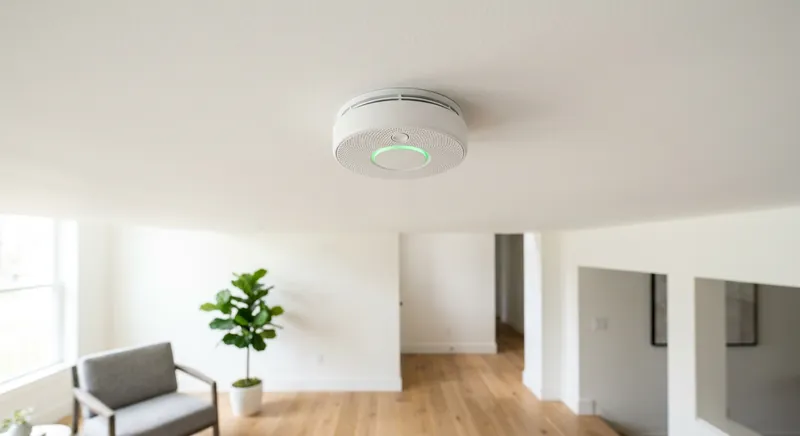
Best Smart Smoke Detectors for Early Warning and Alerts
Compare hardwired, battery, and voice-alert smart smoke detectors. Understand ionization vs photoelectric sensors, CO detection, wireless interconnectivity, and app alerts.
Get Smarter About Your Home
Receive practical buying guides, product comparisons, maintenance tips and home project ideas from HomeGear Guide.
You can unsubscribe at any time.